Industry News
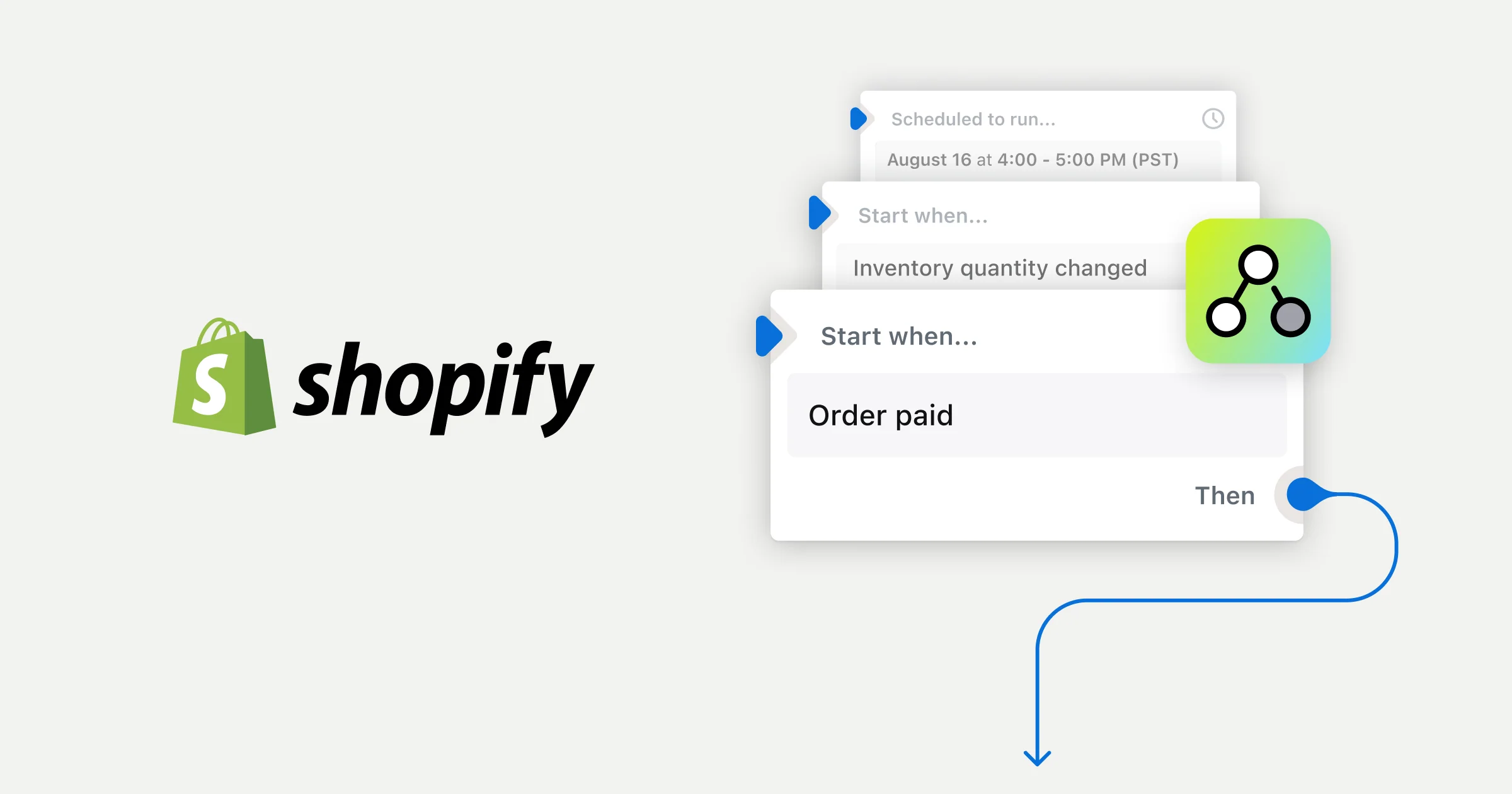
Shopify Flow Updates 2026: What's New for Automating Support Workflows
The 2026 updates to Shopify Flow transformed it into a powerful operations engine, allowing for sophisticated new ways to automate support workflows before they become tickets.
Odera Joseph
Founder · July 27, 2026 · 8 min read
It’s 9 PM on a Tuesday and you’re not focused on growth, marketing, or new product design. Instead, you’re manually scrolling through hundreds of orders, cross-referencing a spreadsheet of tracking numbers from a third-party logistics provider that just reported a regional delay. Your goal is to identify every customer in the affected zip codes so you can preemptively tag their orders and brace for the coming wave of “Where is my order?” tickets. This isn't a hypothetical scenario; it's the operational reality for countless scaling brands. Industry analysis suggests that operations staff can spend up to a quarter of their workweek on such manual, reactive tasks, with some studies showing that many workers lose more than a full day each week to repetitive work that could be automated. That lost time, which could be reallocated to strategic initiatives like improving product descriptions or analyzing customer feedback, represents a significant opportunity cost. Each click is a reminder of the reactive, manual work that consumes hours you don't have, a frustrating cycle of putting out fires instead of building a more resilient business. You find yourself thinking there has to be a way to automate this. With the latest Shopify Flow updates in 2026, building that automation is closer than ever, but understanding its new ceiling is the key to truly scaling your support operations and reclaiming that lost time.
The Old Flow: A Helpful But Limited Assistant
For years, Shopify Flow has been a dependable, if basic, part of the Shopify ecosystem. Available on all plans from Basic to Advanced, it introduced store owners to the power of trigger-based automation for simple, repetitive tasks, serving as a gateway to more efficient operations. If you wanted to add a "VIP" tag to an order over $200, get a Slack notification for a new 5-star review, or segment customers based on their total number of orders, Flow was a perfectly capable tool. store owners used these simple rules to create crucial first efficiencies, like automatically adding a "First-Time Customer" tag to new orders, which could then sync to an email list for a welcome sequence. Seeing a Slack channel fill with positive reviews provided a real-time morale boost for the entire team, connecting them directly to customer satisfaction. It excelled at these linear, "if-this-then-that" scenarios, saving countless hours of manual backend administration across thousands of stores. Most store owners set up a few foundational workflows for tagging high-value customers, flagging potentially fraudulent orders for review, or organizing new orders by delivery location, and let them run quietly in the background. This entry-level automation was a significant step up from doing everything by hand and provided a crucial taste of what a more systematic, less chaotic operation could feel like. The simplicity that made Flow so accessible, however, was also its primary constraint, a low ceiling that fast-growing businesses would inevitably hit. As stores scaled and operational complexity grew, the tool's limitations became glaringly apparent. The conditional logic was rudimentary, supporting basic if/then rules but struggling with advanced branching, fallbacks, or layered "AND/OR" conditions. Trying to build a workflow that checked for an order over $100, *unless* the customer was tagged as "wholesale," *and* the shipping destination was international, often required clunky workarounds like creating intermediate tags or splitting one logical process into multiple, disconnected flows. A store owner might have one flow that tagged all international orders, a second that tagged wholesale customers, and a third that tried to check for the absence of one tag and the presence of another, creating a fragile chain of dependencies. This not only added significant management overhead but made troubleshooting a nightmare when a workflow failed, as a failure in one flow could silently break the logic of another. Furthermore, Flow's scope of action was frustratingly narrow. It could interact with a limited set of Shopify data points, and accessing anything more specific, like the contents of a custom metafield or data from a third-party app, often required building a manual "Send HTTP request" action. This was a task well beyond the comfort zone of most store owners, requiring them to read API documentation and format JSON, and turned what should have been a simple data pull into a pseudo-development project, creating a hard ceiling on what non-technical teams could achieve. For support teams, this meant Flow was good for internal alerts but poor at handling the nuanced, multi-step logic that defines modern customer service operations. It could tell you a problem happened; it couldn't do much to help you analyze it or prevent it from happening again.The 2026 Upgrade: Flow Becomes an Operations Engine
The series of updates rolled out through 2026 did not just add features to Shopify Flow; they fundamentally changed its role within the Shopify platform. It has evolved from a simple task runner into a sophisticated, near-production-grade operations layer, capable of handling logic that previously required expensive third-party integration tools like Zapier or Make, or even custom development. The foundation of this transformation was the integration of the GraphQL Admin API version 2026-01 in January. While that sounds technical, the practical implication for support teams is immense, giving them the power to query their own store's data with precision. This update introduced advanced querying for metafields and metaobjects, allowing for complex comparisons using conditions like 'greater than,' 'less than,' and boolean logic like AND, OR, and NOT, directly within the Flow interface. Suddenly, you could build a workflow that identifies customers who have made more than three returns in the last 90 days *and* have a lifetime spend over $500 *but* are NOT tagged as "influencer," a level of granular segmentation that was previously impossible without exporting data to an external tool or writing custom code. This allows teams to isolate potentially problematic buying patterns from legitimate high-value activity, a critical distinction for preserving profitability. This was followed by a crucial update in March that made nearly all of Shopify's Admin API fields natively available as variables within Flow. This change eliminated one of the biggest historical hurdles, removing the need for store owners to manually construct complex API requests to access data like whether a product was in a specific collection or to pull detailed fulfillment information from an order. This newfound depth of data access was particularly powerful when applied to customer support challenges. For instance, the API update gave Flow direct access to transaction data on the Return object and introduced a more structured `ReturnReasonDefinition` type. This allows support managers to build workflows that automatically analyze return patterns in real-time, a critical capability when industry data shows the average cost of processing a return can be $10 to $20 per item, not including shipping. You can now trigger specific actions based on granular return reasons, like "item was smaller than expected", to help identify product quality issues or confusing descriptions much faster than by manually reviewing tickets. The introduction of the Flow AI Assistant in the spring further lowered the barrier to entry, allowing you to describe a complex workflow in plain English and have the AI construct the necessary triggers and conditions automatically. Combined, these updates provide the toolkit to move from reactive fire-fighting to proactive, data-driven support automation.Putting It to Work: Three Support Workflows Now Possible in Flow
The theoretical power of these updates becomes tangible when applied to real-world support scenarios that directly address common operational bottlenecks. What was once a tedious manual process or required a paid third-party automation app can now often be built directly within Shopify, democratizing access to powerful operational efficiencies. This consolidation not only saves subscription costs from external tools, which can easily exceed a hundred dollars per month, but also creates a more reliable and integrated system where data flows seamlessly between different operational areas without fragile connections. An update to a third-party app will not unexpectedly break a critical internal process. These new capabilities allow for a level of precision that not only improves internal workflows but also has a direct, positive impact on the end customer experience by reducing errors and enabling proactive communication. The result is a support team that can focus on high-value interactions rather than low-value data entry. Here are three practical support-focused workflows you can build today using the new and improved Shopify Flow. First, consider a proactive high-risk fraud prevention workflow that acts as a sophisticated second line of defense. While Shopify’s own fraud analysis is powerful, support teams often have their own internal rules for orders that require manual review, based on their specific product and customer profiles. Using the "Order risk analyzed" trigger, you can now build a multi-condition workflow that goes far beyond the basics. You can set it to check if the risk level is "high" *and* the order total is above a certain threshold (e.g., $500), *and* the billing address country does not match the shipping address country, *and* the customer's email domain is from a free provider. If all conditions are met, the workflow can automatically perform a sequence of critical actions: add an "On Hold - Manual Fraud Review" tag to the order, place a fulfillment hold to prevent it from being shipped, and, crucially, update the internal order notes with a detailed summary of the specific risk factors that triggered the hold. This provides the support agent who reviews the order with immediate, actionable context, saving valuable investigation time and preventing potentially costly chargebacks, which can cost businesses an average of $110 to $128 per dispute when all fees and operational costs are included, according to reports from Mastercard. Second, you can now create a truly dynamic "At-Risk VIP" segment to prevent your best customers from churning before it's too late. This workflow combines customer data with order history in a way that was previously difficult, turning customer retention from a reactive goal into a proactive process. The trigger is "Order created," but the conditions run on the associated customer record. The workflow checks if a customer's lifetime spend is greater than your VIP threshold (e.g., $1,000) *and then* checks if their last order date is more than 90 days ago. If both are true, indicating a valuable customer may be lapsing, Flow adds an "At-Risk VIP" tag to their customer profile. This tag then becomes a powerful tool. It can be used to automatically add the customer to a specific audience for a "we miss you" re-engagement campaign in Shopify Email or a connected marketing app. More directly for support, you could add an action to create a task in a project management tool like Trello or Asana, assigning a senior support team member to perform a personal outreach call or send a handwritten note with a small gift. Given that, according to Harvard Business Review, acquiring a new customer can be five to twenty-five times more expensive than retaining an existing one, this high-touch gesture can make all the difference in retaining a valuable relationship. Finally, you can build a workflow for granular return reason analysis to spot product issues before they escalate into widespread problems. When a return is initiated, the new `ReturnReasonDefinition` data allows for highly specific triggers that turn raw return data into structured, actionable insights. Let's say you want to track items consistently reported as damaged in transit, which could indicate a packaging problem. You can create a workflow that triggers on "Return created" and checks if the reason selected by the customer is "Arrived Damaged." If it is, the workflow can tag the order and customer for future reference. More powerfully, it can use an action to update a custom metafield on the product variant itself, incrementing a "damage_count" metafield by one. This creates a running tally of damage reports right on the product page in the admin, visible to your product and operations teams. A support manager can then build a separate scheduled workflow that runs daily, checking for any product variants where the "damage_count" is greater than a set number (e.g., 5 in a single day) and sending a single, consolidated alert with product links to the operations team via Slack. This automates the entire process of data collection and analysis, turning individual support complaints into an early warning system that can save thousands in inventory and protect brand reputation.The Communication Gap: Where Native Automation Still Falls Short
For all its newfound power in manipulating data and managing backend processes, it is critical to understand the hard ceiling of Shopify Flow: it is an automation engine, not a communication platform. Flow is exceptionally good at talking to Shopify's database and other integrated systems, but it cannot talk *with* your customers. It can execute a precise series of actions based on a complex set of triggers and conditions, but it cannot understand the nuance, intent, or emotion within a customer's email, social media DM, or live chat message. This creates a significant gap between automating an internal task and automating a customer-facing resolution. A workflow can send a one-way, templated email notification, but it cannot engage in the back-and-forth dialogue required to solve a complex support issue. It has no ability to interpret free-text inquiries, ask clarifying questions, or adapt its response based on a customer's reply, a key expectation for a majority of consumers who now prefer interactive support, with some data showing 74% of customers prefer chatbots for simple questions. This limitation becomes starkly clear when you trace the complete journey of a common support ticket. Flow can expertly tag an order as "High-Risk" and place a fulfillment hold, but when the customer emails asking, "Why hasn't my order shipped yet?" Flow is silent and a new ticket enters your queue. A human agent must step in, find the order, read the internal notes, and then compose a reply, introducing a delay and manual effort. Flow can identify that a customer is a VIP, but it cannot join a live chat conversation to proactively offer them assistance or a personalized recommendation based on their browsing history. It can flag that a return was initiated for a "wrong size" issue, but it can't respond to the customer's follow-up question about whether they should size up or down on their next purchase, a missed opportunity to save a sale and prevent a future return. The platform's logic is binary; it operates on the structured data within your Shopify admin. Customer conversations are the opposite, they are unstructured, unpredictable, and deeply personal, which is why research from Five9 shows that 75% of consumers still prefer talking to a human for customer support. While Flow has become an indispensable tool for automating the operational side of your business, it was never designed to manage the conversational side. Trying to force it into that role only highlights its limitations and leaves the core work of customer communication entirely on the shoulders of your support team.Closing the Loop: From Internal Automation to Customer Conversation
The most effective support strategies in 2026 recognize this distinction and use a two-layered approach, creating a powerful synergy between process automation and conversational intelligence. The first layer is robust internal automation, using tools like Shopify Flow to their absolute maximum. This means creating sophisticated workflows for everything that can be systematized: tagging orders with dozens of attributes, segmenting customers into micro-cohorts, managing inventory alerts by location, and flagging operational exceptions for review. This layer is the central nervous system of your store, ensuring data is clean, reliable, and consistently structured. This foundation frees your team from the repetitive operational drudgery that leads to burnout and allows them to focus on higher-value work. The second layer is an intelligent, automated conversational platform that sits on top of that clean data and engages directly with your customers. This is precisely where a tool like Arbyn fits. Arbyn is not a replacement for Shopify Flow; it's the customer-facing counterpart that completes the automation loop, turning backend data into frontend conversations. Arbyn is a support and sales agent designed to handle the dynamic, unpredictable conversations that Flow cannot. When a customer starts a live chat, Arbyn can see the "At-Risk VIP" tag that your Flow workflow applied and tailor the conversation accordingly, perhaps proactively offering a personalized incentive to complete a purchase and referencing their past orders. When a customer emails about an order that Flow has flagged for fraud review, Arbyn can access that information and provide an immediate, context-aware response explaining the status and what is needed, then wait for a one-click approval from you in Slack to either process or cancel the order. Because it is built for conversation, it can handle the unstructured nature of support inquiries, understand intent, and perform real actions. It can process a return, change a shipping address, or issue a discount, all within the thread of a natural language conversation. By pairing Flow's backend automation with Arbyn's frontend conversational intelligence, you create a system where operational tasks are handled silently and instantly, and customer interactions are managed with equal speed and precision. Recent studies show that fast response times are a key driver of customer loyalty, with some data indicating that customer satisfaction can rise from 89% to 99% when first response times are drastically reduced. This dual-engine approach allows you to scale your support capacity without scaling your headcount, all while running on a predictable, flat-rate model that doesn't penalize you for growth. You can add it to your store and see how it leverages the clean data from your workflows to resolve tickets automatically. Ultimately, the evolution of Shopify Flow is a clear signal of where ecommerce is headed: toward a state of hyper-automation where every possible process is systematized and optimized. The opportunity for store owners is to build a smart, layered system that leverages the strengths of different tools. Use Flow as the powerful, free engine it has become to organize, structure, and automate every possible backend process within your store. Get your data clean, your segments defined, and your operational triggers firing automatically and reliably. This foundational layer creates the operational integrity required to scale gracefully without adding headcount to manage manual processes. Once that robust foundation is in place, you can plug in a dedicated conversational AI to act on that data, creating a support experience that is not only efficient and scalable but also genuinely helpful and instantaneous for your customers. The future of support isn't one monolithic tool that does everything poorly; it's the intelligent integration of a best-in-class operations engine and a best-in-class conversational agent, working in concert to create a seamless experience for both your team and your customers.Written by
Odera Joseph
Founder
For seven years I have led customer success and technical support inside high-growth SaaS and e-commerce companies. Customer Support Lead at DripShop.live, a live-commerce SaaS. Technical Support Specialist at Replo (Y...
View full profileKeep reading
View all posts
Industry News
Shopify's Winter '27 Editions: What’s New for AI and Support Automation
Odera Joseph · 8 min

Industry News
Shopify's 2027 Roadmap: What 'Agentic Checkout' Means for Your Store
Odera Joseph · 8 min

Industry News
Shopify Checkout Extensibility in 2026: What's New for Chat Widgets?
Odera Joseph · 8 min