Shopify Editions Winter: What Changed for Store Owners Running Support This Season
Shopify's Winter '26 Edition delivered over 150 AI-centric updates, fundamentally changing the landscape for support operations.

It’s 9 PM on a Tuesday. You are not strategizing your next product launch or refining your marketing creative. Instead, you are manually scrolling through hundreds of orders, cross-referencing a spreadsheet of tracking numbers from your 3PL partner who just flagged a regional shipping delay. Your entire focus is on identifying every customer in the affected zip codes so you can preemptively tag their orders, preparing your support queue for the inevitable wave of “Where is my order?” tickets. This manual, reactive fire-drill is the operational reality for countless store owners. The core frustration is not the delay itself, but the hours of tedious, non-revenue-generating work required to manage the fallout. You know there has to be a better way to handle these scenarios. With the significant shopify editions winter support changes that landed earlier this year, the platform is finally providing the tools to automate parts of this process, but understanding their capabilities and limitations is the key to actually reclaiming your time.
The Old Rhythm of Reactive Support
For years, running customer support on Shopify followed a familiar, often frustrating, rhythm. The platform provided a world-class engine for selling products, but the tools for communicating with customers post-purchase felt like an afterthought. Support was, by its very nature, a reactive discipline. A problem occurred, a shipment was late, a product arrived damaged, a discount code failed, and the customer initiated a conversation. Your team, or more likely you, would then investigate and manually resolve the issue. This model was functional at a small scale but began to break down quickly as order volume grew. The operational bottlenecks were not just inconvenient; they were a structural tax on growth, consuming time and resources that could have been invested in scaling the business. Each ticket represented a moment where the customer experience had already faltered, and your job was simply to perform the cleanup.
The available native tools, while useful, encouraged this reactive posture. Shopify Inbox was a straightforward way to chat with customers on your site, but it lacked deep intelligence or the ability to take action on its own. It could tell you a customer's name, but it couldn't tell you their history, their lifetime value, or the fact that this was their third support ticket this month. Shopify Flow offered a glimpse of a more automated future, allowing you to create simple trigger-action workflows. You could tag an order based on its value or add a note to a customer profile. However, it was fundamentally an internal tool. Flow could tag an order as "high-risk," but it could not initiate a conversation with the customer, place a fulfillment hold, and alert your finance team simultaneously. It created internal signals, leaving the actual communication and resolution work to a human store owner. This created a significant gap between knowing something and doing something about it, a gap that support teams had to bridge with manual effort every single day.
This environment forced store owners into a corner. To provide excellent support at scale, you had to turn to a complex and expensive ecosystem of third-party helpdesks. Tools like Gorgias, Zendesk, and Intercom offered the power that the native platform lacked, but they came with a steep price tag, often based on per-ticket or per-resolution billing models that penalized you for growth. Your support bill would climb with your sales volume, turning customer engagement into a direct cost center. Returns management was a particularly acute pain point, often handled through a messy combination of emails, spreadsheets, and yet another dedicated app. The process was disconnected from the core Shopify admin, creating data silos and operational friction. The fundamental challenge was clear: Shopify was built for commerce transactions, not customer conversations, leaving a critical part of a store owner's job underserved by the core platform.
The Renaissance Edition: Shopify's AI-Powered Overhaul
Shopify's Winter '26 Edition, aptly named the "Renaissance Edition," represented a fundamental shift in the platform's philosophy. With over 150 updates, this release was not an incremental improvement; it was a strategic pivot toward embedding AI into the very fabric of commerce operations. For store owners managing support, this was the most significant platform evolution in years. The updates directly addressed the historical weaknesses in native tooling, aiming to transform support from a reactive cost center into a proactive, intelligent, and automated function. The core idea was to use AI to amplify the store owner's capabilities, automating the repetitive tasks that consume countless hours and providing the insights needed to prevent problems before they start. This was Shopify's formal acknowledgment that the post-purchase experience is just as important as the checkout itself.
At the center of this transformation is the evolution of Sidekick, Shopify's AI assistant. Previously a reactive tool for answering questions about the admin, Sidekick was reimagined as a proactive "AI coworker." With a new feature called Sidekick Pulse, the assistant now analyzes your store's data to surface actionable suggestions, like identifying customer segments ripe for a win-back campaign or flagging products with dipping conversion rates. For support, this means the platform itself starts to help you get ahead of issues. Instead of waiting for a customer to complain about a confusing product description, Sidekick might flag the page's high exit rate, prompting a proactive fix. Furthermore, Sidekick can now be prompted to build simple, custom applications or edit your theme using natural language, placing powerful development capabilities in the hands of non-technical users.
The most direct impact on support workflows comes from the massive upgrades to Shopify Flow. It has been supercharged with an AI assistant, allowing you to build complex workflows by simply describing what you want to achieve in plain English. This dramatically lowers the barrier to entry for sophisticated automation. The updates also introduced advanced querying capabilities and deeper integration with analytics, letting you build workflows based on complex conditions that were previously impossible without custom code. For example, you can now create a flow that automatically tags and holds an order from a customer who has made more than three returns in the past 90 days but has a lifetime value over a certain threshold. This is a level of operational intelligence that moves far beyond simple trigger-and-action rules. It allows you to build a truly automated first line of defense, handling routing, tagging, and fraud analysis before a human ever needs to get involved.
Finally, Shopify made significant strides in tackling one of the most persistent support headaches: returns. The platform has been expanding its Returns API, built on GraphQL, which allows developers and third-party apps to manage the entire return lifecycle directly within Shopify. This means that instead of having a separate system for returns, tools can now create returns, approve requests, and process refunds in a way that is natively integrated with the Shopify order and inventory systems. Several major returns management apps are already using this API to offer a much more seamless experience, where the data is consistent and the workflow is centralized. For a support team, this is a monumental change. It promises to bring order to the chaos of returns, reducing the manual effort required to track, process, and refund returned items, and giving support agents a single source of truth within the Shopify admin.
Remapping Your Support Workflows with New Automation
The theoretical power of Shopify's Winter '26 updates is impressive, but their real value is realized when you translate them into practical, time-saving automations. The transformation of Shopify Flow from a simple helper into a production-grade operations engine is the most immediate opportunity for store owners to claw back hours of manual work. The introduction of the AI assistant means you no longer need to be a logic wizard to build powerful workflows. You can now create sophisticated, multi-condition automations that triage support issues before they even become tickets. Consider the common problem of high-risk orders. Instead of manually reviewing each one, you can now instruct Flow's AI assistant: "When an order's risk level is 'high,' tag the order 'fraud-review-hold,' put the fulfillment on hold, and send a notification to the #ops channel in Slack with the order details." This single workflow replaces a daily manual review process, reduces the risk of shipping fraudulent orders, and ensures the right people are alerted instantly.
This same principle can be applied to customer segmentation and proactive service. Imagine you want to give your best customers a premium experience. You can build a workflow that triggers when an order over $500 is placed by a customer who is not tagged as "wholesale." The flow can automatically add a "priority-pick" tag for the warehouse, a "vip-review" tag for your support team, and even send the customer a personalized thank-you email from a specific template. This isn't just about efficiency; it's about building a scalable system for creating better customer experiences. These workflows, once the exclusive domain of Shopify Plus store owners with technical teams, are now accessible to a much broader range of store owners on the Advanced plan. The key is to stop thinking of Flow as a tool for simple notifications and start seeing it as the central nervous system for your store's operations, capable of making intelligent decisions based on a rich set of data.
Beyond order management, the new capabilities allow for proactive inventory and marketing automation that directly impacts the support queue. You can now use Flow to get analytics data, enabling a workflow that alerts you when a popular product's inventory drops below a 14-day supply, giving you time to reorder before you start getting "out of stock" questions. You can create a segment of customers who haven't purchased in 120 days and automatically tag them for a targeted win-back campaign executed through your email marketing app. Each of these automations chips away at the mountain of reactive support tickets by solving the problem upstream. The cumulative effect is a support team that spends less time answering repetitive questions and more time handling complex, high-value customer interactions. The "Renaissance" in this context is the shift from manually operating your business to designing an automated system that runs it for you, with you acting as the architect, not the laborer.
The New Frontline: Agentic Commerce and the Inbox Dilemma
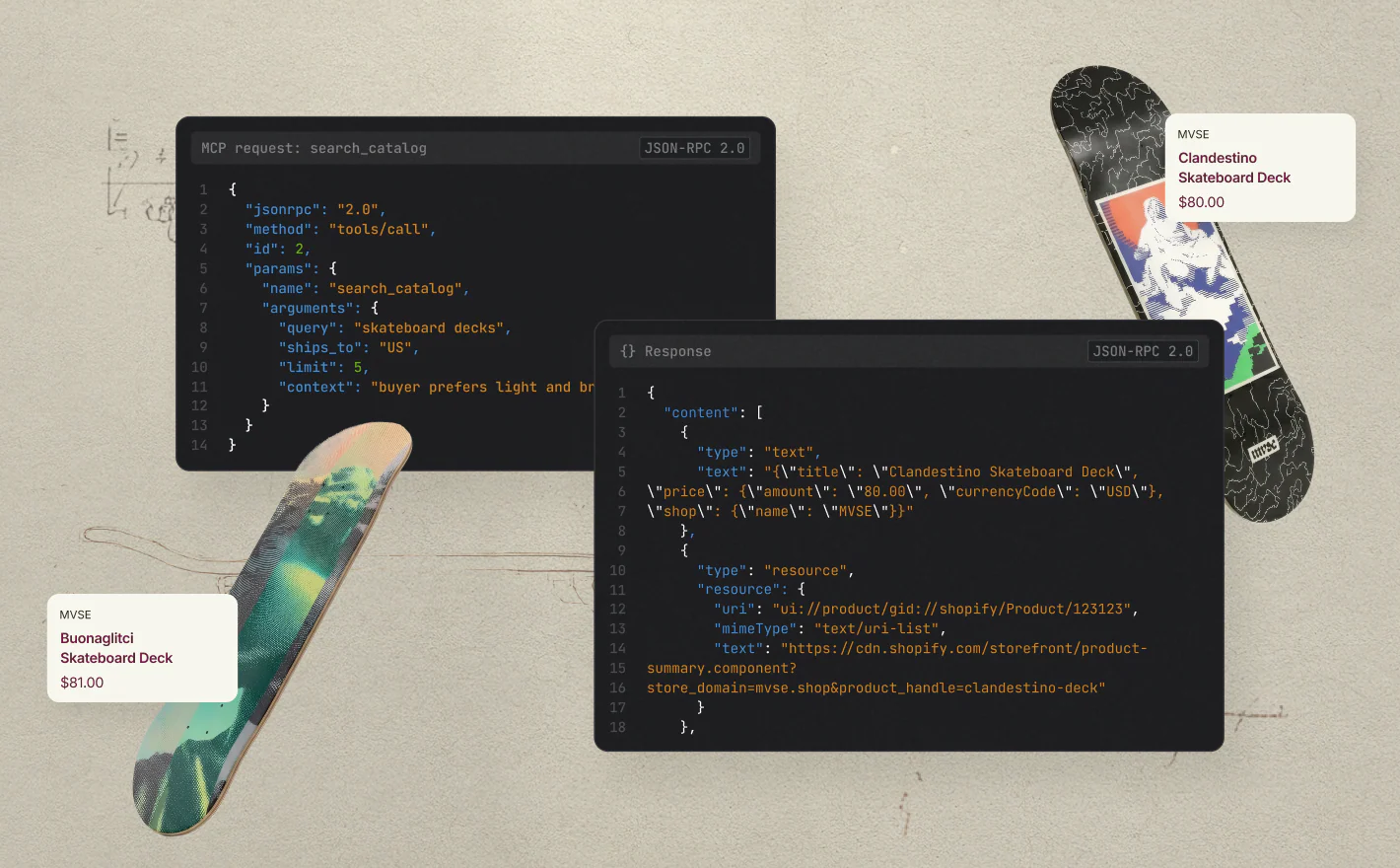
While Shopify Flow and Sidekick are transforming back-office operations, another set of Winter '26 updates is reshaping the customer-facing frontline of support. The introduction of "Agentic Storefronts" is a bold, forward-looking move that allows your products to be discovered and purchased directly within external AI chat platforms. A shopper could be talking to an external AI chat platform about planning a trip, and your store's travel-friendly backpack could appear as a suggested product, available for purchase right in the chat interface. This creates an entirely new, distributed sales channel, placing your products wherever conversations are happening. For this to work effectively, Shopify is pushing store owners to adopt a structured "Catalog API," noting that products formatted this way see significantly higher conversion rates in these AI-driven environments. This creates a new operational task, catalog optimization for AI, but opens up a potentially massive new avenue for discovery and sales.
This new frontier also presents a new support challenge. When a customer has a question or an issue with a purchase made through an agentic storefront, where do they go for help? The conversation didn't happen on your website. This fragmentation of the customer journey requires a new way of thinking about support, one where your team must be equipped to handle inquiries originating from channels you don't directly control. The other major change on the frontline is the enhancement of Shopify Inbox with a new AI sales associate. This built-in AI agent can live on your storefront, answer common customer questions, provide product recommendations, and handle basic order inquiries by drawing on your store's catalog, inventory, and policy data. In theory, this is the perfect native solution to deflect common support tickets and even drive sales.
However, the real-world implementation has been rocky. Recent updates to Shopify Inbox, seemingly designed to improve personalization by requiring customers to sign in before chatting, have sparked a significant backlash from store owners. App store reviews from as recently as July 2026 are filled with complaints that this added friction is destroying lead generation and actively driving away potential customers. One store owner reported losing multiple high-value sales because customers were unwilling to create an account just to ask a simple question. Another lamented that the user interface was a "huge downgrade" and that customer inquiries had "decreased significantly." This is a critical lesson for store owners: a feature that looks good in a press release can have negative consequences when it meets real-world customer behavior. It highlights a core tension in AI-driven support, the quest for data and personalization can sometimes clash with the customer's desire for a fast, frictionless experience.
Returns, Refunds, and the Power of a Centralized API
Of all the areas in customer support, returns management has long been one of the most fragmented and labor-intensive. It is a process plagued by manual data entry, communication gaps between different systems, and frustrated customers waiting for their refund. The Winter '26 updates, and the continued development around Shopify's core APIs, represent a significant effort to bring order to this chaos. The key is the platform's GraphQL Admin API, which now provides a structured and powerful way for apps to manage the entire returns process from within the Shopify ecosystem. This is more than just a technical update; it is a strategic move to make returns a native, first-class citizen of the Shopify platform, rather than a problem to be solved exclusively by third-party applications operating in a separate silo.
Previously, many returns apps operated almost entirely outside of the Shopify admin. They would have their own interface for customers to request a return and for your team to approve it. While functional, this created a disconnect. The "return" existed in the app's database, but not necessarily as a formal entity on the Shopify order itself. The new API changes this. Now, when a return is initiated through an integrated app, it can create a formal "return" object linked directly to the original order in your Shopify admin. This object moves through various statuses like `REQUESTED`, `OPEN`, and `CLOSED`, providing a single source of truth for everyone on your team. This seemingly small change has massive operational benefits. It means your support team, your fulfillment team, and your finance team can all see the exact status of a return without having to log in to a separate piece of software.
This centralization also streamlines the financial and inventory-related actions associated with a return. Instead of processing a refund against the general order, you can now process it directly against the approved Shopify return. When it comes to restocking, integrated apps can now leverage Shopify's core inventory API, ensuring that your stock levels are updated accurately and in real-time as soon as a returned item is inspected and deemed sellable. This eliminates the risk of data drift between your returns software and your Shopify inventory, a common source of overselling and subsequent support headaches. While Shopify's own built-in return function remains basic, the API empowers a new generation of tools like ReturnZap and ReturnGO to build deeply integrated and powerful solutions on top of the platform. For store owners, this means you can finally manage one of the most complex parts of your business with the same level of clarity and control you have over your orders and products.
Where Native Tools End and True Automation Begins
The Shopify Editions Winter '26 updates have undeniably raised the bar for native platform capabilities. The ability to build sophisticated workflows in Flow with natural language and the introduction of a proactive AI assistant in Sidekick provide store owners with an unprecedented level of control over their operations. You can now automate dozens of tasks that previously required manual effort or expensive applications. However, it is crucial for store owners to recognize the ceiling of these new tools. Shopify has built a powerful engine for identifying events and taking internal actions, but a significant gap remains when it comes to communicating with the customer and executing complex resolutions within the conversation itself. This is the line where native automation ends and the need for a dedicated, action-oriented support agent becomes clear.
Shopify Flow can tag a high-risk order and send you a Slack message, but it cannot have a conversation with the customer to ask for verification. Sidekick can suggest a marketing campaign for a customer segment, but it cannot answer a follow-up question from one of those customers about their specific order. The new AI in Shopify Inbox can answer basic questions, but its ability to perform money-moving actions like issuing a refund, canceling an order, or reshipping a lost item is limited, and as recent updates have shown, its design choices can sometimes create more friction than they remove. The platform can tell you *that* a problem exists, but it still largely relies on a human to have the resulting conversation and perform the resolution. This is the exact gap that has allowed the ecosystem of third-party helpdesks to flourish, but often at a punishing cost.
This is where an AI agent built for action, not just answers, becomes essential. While Shopify's tools help you manage internal state, a true support and sales agent needs to operate within the customer conversation itself, using the context of that discussion to take real action in your store. The native tools are becoming excellent at the "if this, then that" logic inside your admin. The next level of automation is connecting that logic to a conversational agent that can diagnose a customer's intent and resolve their issue end-to-end. You need a system that doesn't just tag an order for a return, but also talks the customer through the return process, provides the shipping label, and triggers the refund once the item is received. This requires a deeper level of integration and a different architectural philosophy, one focused on conversational resolution, not just internal workflow automation.
For store owners evaluating their stack in light of these new Shopify features, the question becomes how to best fill this "action gap." You could continue to pay the per-resolution or per-seat fees demanded by legacy helpdesks. Or, you can adopt a modern, flat-rate AI agent like Arbyn. Arbyn is designed to be the missing action layer on top of Shopify's increasingly intelligent platform. It operates across email and live chat, understands customer intent, and can execute real tasks. It can update a shipping address, and with your approval, it can cancel an order, issue a refund, or send a replacement. It turns a conversation into a completed action, without creating a ticket and without charging you a fee for the resolution. For a flat $99 a month for unlimited conversations, it provides the action-oriented capabilities that native tools still lack, at a predictable price that doesn't penalize your growth. You can add it to your store and let it handle the resolutions while Shopify's native tools get better at flagging the issues.
The latest Shopify Editions release is a clear signal of the future: a more intelligent, more automated platform. But intelligence is not the same as action. The savviest store owners in this new era will be those who leverage Shopify's powerful new detection and workflow capabilities as a foundation, and then layer on a truly conversational and action-oriented AI agent to handle the final, critical step: resolving the customer's issue, right then and there.
Written by
For seven years I have led customer success and technical support inside high-growth SaaS and e-commerce companies. Customer Support Lead at DripShop.live, a live-commerce SaaS. Technical Support Specialist at Replo (Y...
View full profileKeep reading
View all posts
Shopify's Winter '27 Editions: What’s New for AI and Support Automation
Odera Joseph · 8 min

Shopify's 2027 Roadmap: What 'Agentic Checkout' Means for Your Store
Odera Joseph · 8 min

Shopify Checkout Extensibility in 2026: What's New for Chat Widgets?
Odera Joseph · 8 min